

NexusUI是音频接口组件的一个开源免费的JavaScript库,可以在Web浏览器和移动App上实现音乐控制器。而且,它并不是一个固定的解决方案,是可以构建自定义界面的组件集。能够直接被用来与浏览器中的Web Audio API集成,或是通过服务器程序传输OSC数据到类似Max、SuperCollider或Chuck应用中去。
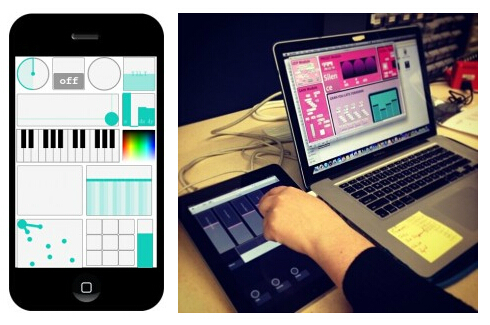
NexusUI对移动设备友好且兼容多点触控,可以通过浏览器分配音乐接口来进行大型合作表演,让音乐控制器在任意Web浏览器中都可使用。
NexusUI的使用
创建元素
<head>
	<script src="http://www.wfuyu.com/uploadfile/20140901/wlsh/filepath/jquery.js"></script>
	<script src="http://www.wfuyu.com/uploadfile/20140901/wlsh/filepath/nexusUI.js"></script>
</head>

<body>
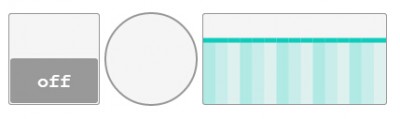
	<canvas nx="toggle"></canvas>
	<canvas nx="button"></canvas>
	<canvas nx="multislider"></canvas>
</body>
在JavaScript中处理Nexus
<script>
	nx.onload {

	  matrix1.row = 2;
	  matrix1.col = 2;
	  matrix1.draw();

	  beatmatrix5.matrix = [ [1,0,0],[0,1,0],[0,0,1] ];
	  beatmatrix5.draw();

	}
</script>

<canvas nx="matrix"></canvas>
<canvas nx="matrix" id="beatmatrix5"></canvas>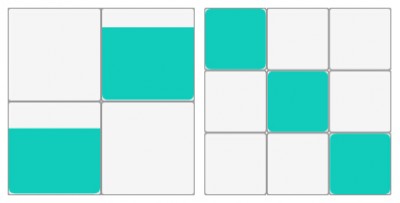
发送数据至Max
NexusUI包含一个nexusOSCRelay.php PHP文件,从接口转发数据到制定的IP和端口(默认IP 127.0.0.1,端口为7475)。
nx.onload = function() {

  nx.sendsTo("ajax");
  nx.usesScript("nexusPHP/nexusOSCRelay.php");

  // or set an element individually

  dial1.sendsTo("ajax");

}
JS中集成Web Audio(或HTML5图形等其他)<script>
nx.onload = function() {
nx.sendsTo("js");
// set individual receiver
dial1.response = function(data) {
dial2.val = data;
dial2.draw();
}
}
</script>
<canvas nx="dial"></canvas>
<canvas nx="dial"></canvas>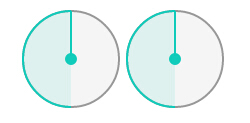
样式设定
<script>

	nx.onload {

	  nx.colorize("#00CCFF"); // sets accent (default)
	  nx.colorize("border", "#222222");
	  nx.colorize("fill", "#222222");

	  dial3.colors.accent = "#FF00CC";
	  dial3.draw();
	}

</script>

<canvas nx="dial" height="150" width="150"></canvas>
<canvas nx="dial" height="100" width="100"></canvas>
<canvas nx="dial" height="75" width="75"></canvas>
<canvas nx="dial" height="50" width="50"></canvas>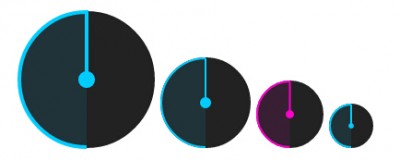
传送门:NexusUI官网、mobilehub主页
程序员人生,我编程,我富裕,记住wfuyu网,php教程,php学习,php手册,CMS模版制作
声明:本站大部分内容是作者原创,少部分收集于互联网供大家一起学习,原版权很多不明,如有侵权请联系本站,谢谢!
粤ICP备14040726号-1 2015-2020 程序员人生 版权所有


